

Introduction
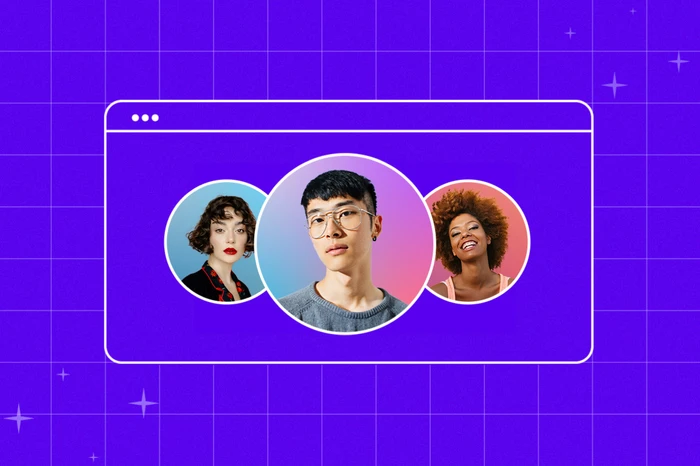
In today’s digital-first world, your profile picture is often the first thing people notice about you—whether it’s on social media, a professional networking site, or a gaming community. A well-designed profile photo instantly communicates personality, style, and credibility. Yet, many people either use random images or outdated photos because they assume creating a great profile picture requires expensive tools or professional skills.
The truth is, you can create your own profile picture in just a few minutes using completely free tools available online. These platforms are user-friendly, creative, and don’t require any design background. Whether you want a modern minimalist look, a cartoon avatar, or a stylish portrait with effects, these tools make it easy to customize your image in no time.
In this guide, we’ll walk you through everything you need to know—from choosing the right tool to perfecting your final design—so you can confidently upload a picture that truly represents you.
Why Your Profile Picture Matters
Your profile picture isn’t just a random photo; it’s part of your digital identity. Here’s why it matters so much:
- First Impressions Count: People often form opinions within seconds. A high-quality, relevant profile photo helps establish trust and professionalism.
- Personal Branding: Whether you’re a freelancer, content creator, or job seeker, your image should align with your personal or business brand.
- Recognition: On platforms like LinkedIn or Instagram, a consistent photo helps followers or clients instantly recognize you.
- Engagement Boost: Accounts with professional-looking profile pictures receive more clicks, messages, and engagement.
If your current image feels blurry, off-brand, or outdated, now is the perfect time to design a new one—no photography studio needed.
Step 1: Choose the Right Free Tool
The internet offers plenty of free platforms to help you create your own profile picture quickly. Here are a few great options:
1. Canva
Canva is one of the easiest tools for beginners. It provides templates, photo filters, and design elements to make your profile stand out.
- Upload your photo or choose from stock images.
- Apply filters, crop into circles or squares, and add subtle backgrounds.
- Download in HD quality for any platform.
2. Profile Pic Maker (PFPmaker.com)
This AI-powered site automatically removes backgrounds and applies stylish designs around your face.
- Just upload your photo.
- Choose from professional, creative, or fun styles.
- Download instantly for free.
3. Photopea
If you want Photoshop-like control without paying, Photopea is perfect.
- It works directly in your browser.
- You can adjust lighting, retouch skin, or add gradient backgrounds.
4. Bitmoji or Avatoon
For cartoon or avatar-style pictures, these apps are fantastic.
- Create your own illustrated character.
- Choose hairstyles, clothing, and expressions that match your personality.
5. Fotor and Pixlr
Both tools offer a balance between simplicity and creative flexibility.
- Add borders, overlays, or artistic effects.
- Customize brightness, contrast, and color tones easily.
Pick the tool that feels right for your skill level and purpose. For instance, Canva is ideal for professional use, while Bitmoji fits casual or fun social accounts.
Step 2: Select the Right Photo
Your base photo sets the tone. Here’s how to choose wisely:
- Use Natural Lighting: Avoid harsh flash or dim indoor shots. A well-lit window photo works best.
- Neutral Backgrounds: If your tool doesn’t remove backgrounds automatically, choose a plain one that doesn’t distract from your face.
- Dress Accordingly: Match your attire to your platform—formal for LinkedIn, creative for Instagram, or relaxed for gaming.
- Smile or Show Expression: A friendly expression instantly creates approachability.
Once you’ve chosen your image, upload it into your selected tool to begin editing.
Step 3: Customize Your Design
This is the fun part—turning a simple image into a standout profile picture.
1. Crop for the Platform
Most profile pictures appear as circles or squares. Crop your photo to center your face and ensure key details aren’t cut off.
2. Add Backgrounds or Effects
Many tools offer automatic background replacement. You can try:
- Solid colors for a clean, professional vibe.
- Gradients for a modern look.
- Patterns or textures if you want creativity.
3. Enhance Lighting and Contrast
Adjust brightness, contrast, and sharpness to make your image pop. A slight color boost can help your photo look more vibrant online.
4. Use Filters Wisely
Filters can set a tone—warm for friendly, cool for sleek, or black-and-white for timeless appeal. But don’t overdo it; subtlety keeps it professional.
5. Add Frames or Borders
Some creators use circular frames or outlines to help their photo stand out, especially on busy feeds.
Step 4: Align It with Your Brand
A profile picture should represent you or your business identity. Ask yourself:
- What message do I want to send? (Friendly, expert, artistic, bold?)
- Do my colors match my website or logo?
- Would someone recognize me from my profile picture in real life?
If you’re a content creator or influencer, consistency is key. Use similar tones and styles across platforms so followers can easily find you.
Step 5: Download and Test
Once your photo looks great, download it in high resolution (preferably PNG or JPG). Upload it to your social platforms and see how it appears in small and large views.
A few quick checks:
- Does it look clear when resized?
- Is your face centered?
- Are the colors balanced on both light and dark mode?
If something feels off, go back and tweak—most tools let you edit again easily.
Bonus: Tips to Make It Look Professional
- Avoid Busy Backgrounds: Keep focus on you.
- Mind the Crop: Don’t cut off your chin or forehead.
- Stay Updated: Refresh your photo every 6–12 months.
- Keep File Size Small: Aim under 2MB for faster uploads.
- Consistency Wins: Use the same image (or style) across LinkedIn, YouTube, and Instagram.
Step 6: Use AI Avatars or Cartoon Styles (Optional)
Want something unique or playful? Try AI avatar tools. They generate stylized versions of your face based on a selfie.
- Sites like PFPMaker or Lensa AI can transform your image into digital art.
- Choose a design that still resembles you but fits your personal vibe.
These are great for gaming profiles, creative projects, or casual communities where real photos aren’t necessary.
Step 7: Keep Accessibility in Mind
Remember that your profile picture might appear small or low-resolution on some devices. Always test how it looks on mobile, desktop, and tablets. Choose colors with enough contrast so your face stands out clearly.
Conclusion
Designing your own profile picture doesn’t need to be complicated, expensive, or time-consuming. With modern AI-powered and free design tools, anyone can create their own profile picture that’s clean, expressive, and professional—no Photoshop expertise required.
Your profile image represents your online identity, so take a few minutes to make it shine. Whether you prefer a classic headshot, a minimal style, or a vibrant avatar, the right tools can help you design a photo that leaves a lasting impression—fast, free, and uniquely yours.
